Draw areas with drag and drop
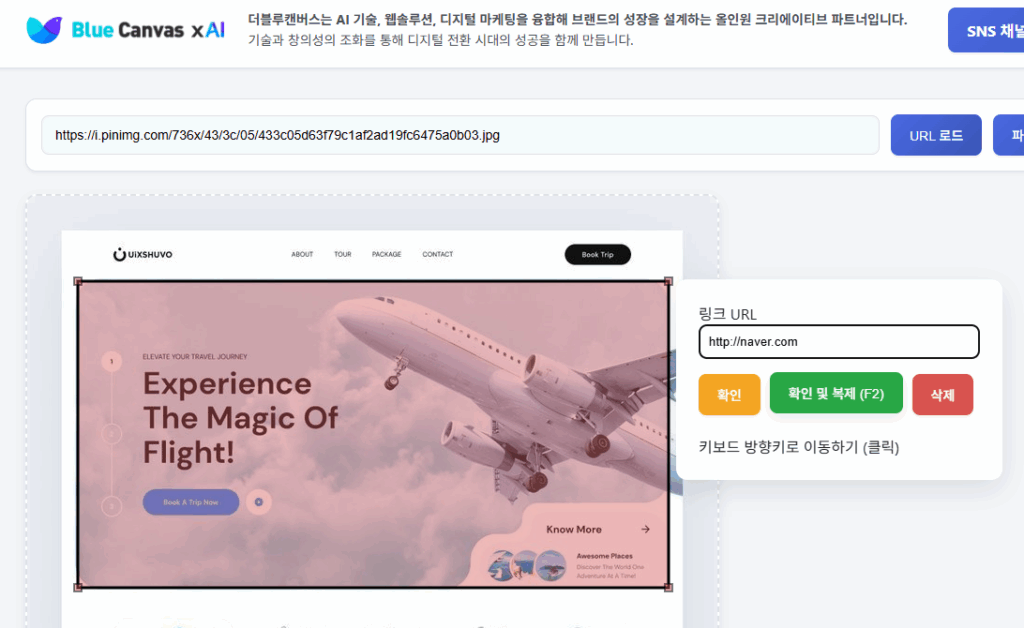
Drag the pointer or double-click to define clickable areas precisely and with ease.
Use drag and drop—no coding required— to draw clickable areas on an image and generate the HTML instantly. Anyone can build an interactive image without web-development experience.

Everything you need to create an accurate image map quickly, without complicated setup.
Drag the pointer or double-click to define clickable areas precisely and with ease.
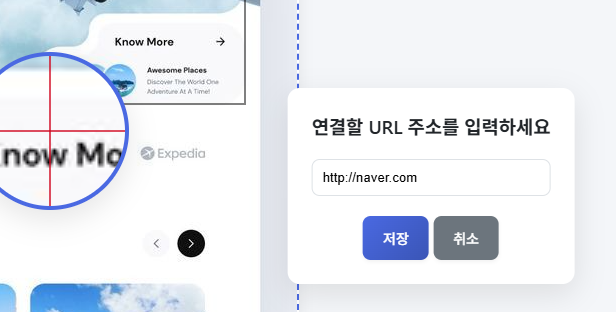
Set a different destination for every hotspot and choose whether it opens in a new window.
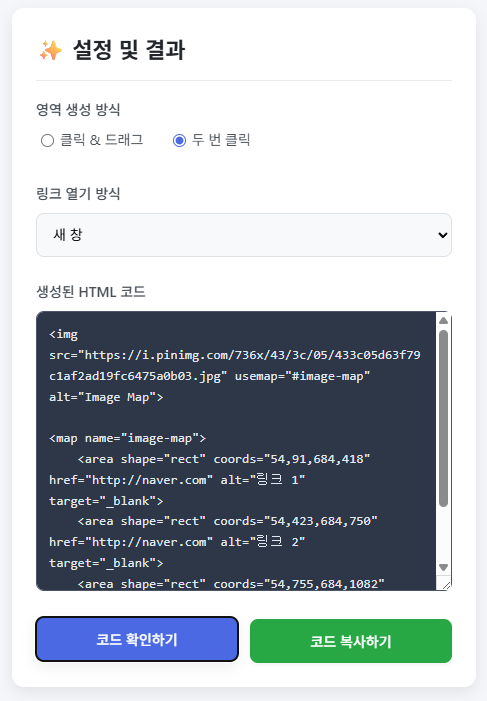
The HTML image-map code updates automatically whenever you add or edit an area.
Copy the generated markup straight to your clipboard and paste it into your site.
Upload a local image or paste an image URL to begin working immediately.
Your work is temporarily saved in local storage while you use the tool.
Load an image, draw the link areas, and copy the code. That is all it takes.
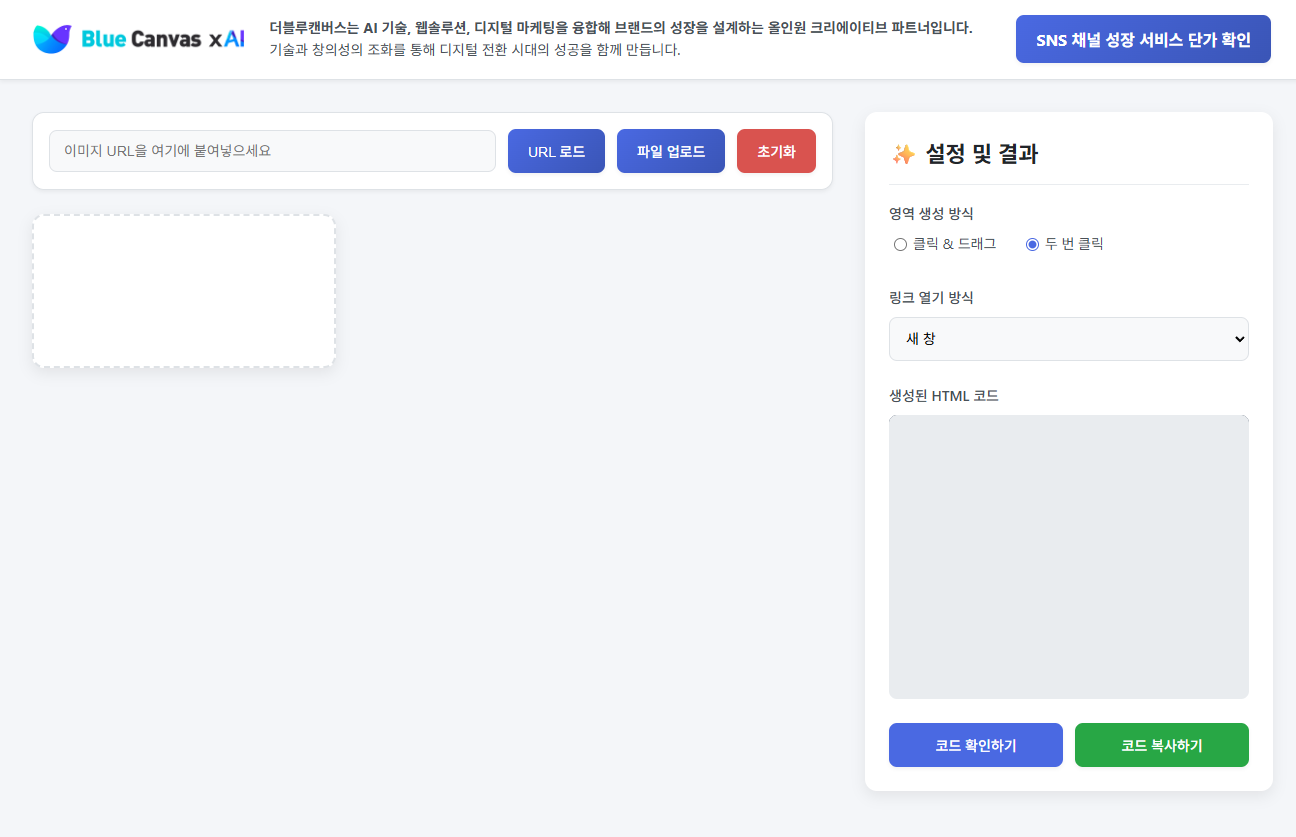
Upload a local file or enter an image URL to load it into the workspace. Common image formats are supported.
Choose drag or double-click mode, draw clickable areas on the image, and set a URL and target for each one.
Review the generated HTML image-map code, copy it to the clipboard, and paste it wherever you need it.
Use image maps in ecommerce, marketing, education, and more to create a clearer interactive experience.
Link individual products in a catalog image directly to their detail pages and shorten the path to purchase.
Add multiple hotspots to campaign graphics or infographics and guide visitors to the right landing or event page.
Connect parts of a diagram or map to detailed explanations and make learning materials more engaging.
The interface is designed to be approachable for anyone. These screenshots show the actual tool.

Common questions about using the image-map generator.
An image map is an HTML technique that defines multiple clickable areas inside one image, with each area linked to a different destination. Clicking a specific part of the image opens the URL assigned to that hotspot.
The tool works in current versions of Chrome, Firefox, Edge, and Safari. We recommend keeping your browser up to date for the best experience.
Copy the generated HTML into your site’s HTML file or CMS editor. The image and map elements are provided together, so the markup is ready to use.
The tool temporarily saves your work in the browser’s local storage. Clearing browser data also removes that saved state, so keep a separate copy of the code for important work.
The tool is currently optimized for desktop use. A PC or laptop with a mouse is recommended when you need precise hotspot placement.
Yes. It is completely free, requires no account or sign-in, and places no usage restrictions on the generated code.
Create an interactive image by simply dragging—no complicated coding required.
The full image-map generator is available free of charge.
Program Feedback
Bug reports, improvement requests and feature ideas are all welcome. Include the steps to reproduce and your environment, and we can fix it much faster.
Need a quick answer?
Your report has been received. We’ll review it and get back to you.